Your Kid’s First Games: Where to Start and What to Try Next
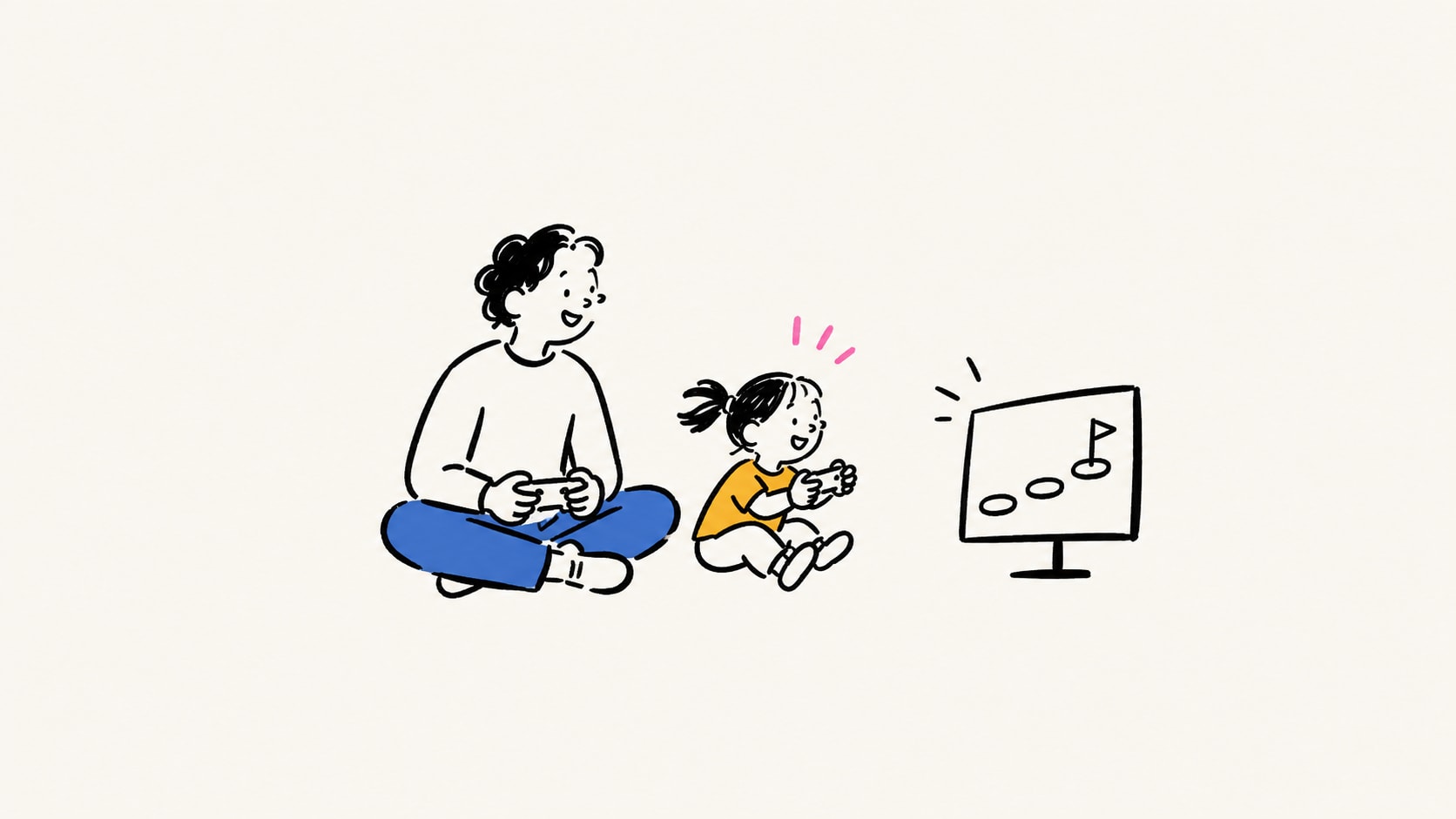
Your kid wants to play. You might be choosing their first game, or looking through a library of games you already own and wondering which one will click. Start with something they enjoy, make the first few minutes manageable, and give them one new thing to try.
The next step might be a different setting, a smaller goal, or a new role for you. Another game is one option. Replaying a favorite is another.
Start with the child, the setup, and one small goal
- Check the fit. Preview the content, reading, controls, online features, and purchases. A cheerful art style or an assist mode cannot tell you whether the story or combat suits your child. Our game filters explain the Dinner Test and Toxicity Risk.
- Use the device you have. A touchscreen, a shared Switch, and a PS5 ask different things of a beginner. Check the exact game, edition, controllers, and co-op setup before buying.
- Make the first job small. Steer a kart. Move one character. Place one block. You can read, handle a menu, or take a turn on a tricky section.
- Notice what feels good. Can they make something happen on purpose? Are they curious about trying again? Ask whether they want help, another turn, or a break.
- Change one thing when they want more. Try a new course, one camera movement, or a different assist. Restore the help whenever it makes play more enjoyable.
These paths are our editorial suggestions for comparing games. They are not tested developmental milestones, and there is no age deadline or requirement to advance. Practice in a game is not a promise of broader developmental benefits. Official content ratings and control difficulty answer different questions; check both.
Pick the question that sounds like your family
- We have a Switch. What is a first adventure?
- Where might we start around ages four, five, or six?
- They love making up stories and building things.
- They enjoy puzzles more than quick reactions.
- They love cars. Can we progress within Mario Kart?
- They love Pokémon. Which kind of challenge fits?
- They want a story and a place to explore.
- We want to solve something together.
- Kirby clicked. What could come next?
- We want more from a game we already own.
- I know games. Choosing for my child is the hard part.
Each path includes a first setup, something to notice, and a way for you to join. Links go to our Game Library where we have notes; other titles link to their publisher or store. A linked title is an invitation to look more closely, not a promise it will suit every child.
A Switch platformer path
For kids who want to move a character, jump, and explore. This is a menu of increasing control demands; a child may prefer to begin with Kirby, or stay with Yoshi.
One possible path: Yoshi’s Crafted World → Kirby and the Forgotten Land → Super Mario Odyssey
1. Move. Jump. Float.
Yoshi’s Crafted World · Nintendo Switch
Try Yoshi’s Crafted World in Mellow Mode. Its wings give you another way through a difficult jump. Join locally, or take turns helping with egg aiming.
Notice: They can move toward a goal and use a jump or float on purpose.
Your role: Let them explore one early course. Offer help with aiming before assuming the entire game is too hard.
2. Explore in three dimensions.
Kirby and the Forgotten Land · Nintendo Switch
Use Spring-Breeze Mode in Kirby and the Forgotten Land. Let the child control Kirby; a parent can join as Bandana Waddle Dee.
Notice: They enjoy finding routes in 3D and recovering after a missed jump.
Your role: Try an early stage or the demo together. Preview the combat and later scenes; friendly controls do not determine content suitability.
3. Look around. Choose a route.
Super Mario Odyssey · Nintendo Switch
Try Super Mario Odyssey with Assist Mode. Explore one kingdom and pick approachable moons. A second player can help as Cappy.
Notice: They can move, adjust the view, and explain where they want to go next.
Your role: Help with the camera or read a clue. Leave a demanding moon for another day.
Keep in mind: Same console, different demands. Yoshi’s egg aiming can be tricky; Kirby has combat; Odyssey adds camera work. A favorite early game can stay a favorite.
First games around ages 4–6
These are possible starting points for a family already choosing to introduce games. They are parent-led examples, not developmental milestones or a recommendation that children need to start at four.
One possible path: Pok Pok → Mario Kart 8 Deluxe → Super Mario Bros. Wonder
1. Tap it. Move it. See what happens.
Pok Pok · iPhone / iPad
If direct touch feels easier than a controller, explore Pok Pok together. Let the child choose a toy and repeat the interactions they enjoy.
Notice: They can tap or drag intentionally and stay interested in the play.
Your role: Try one toy, then finish with a little tour of what they discovered.
2. Try one job: steering.
Mario Kart 8 Deluxe · Nintendo Switch
In Mario Kart 8 Deluxe, start at 50cc with Smart Steering and Auto-Accelerate on. Play locally; choose a familiar, uncomplicated course.
Notice: They can find their kart on screen and make an intentional turn.
Your role: Cheer a corner they handled. Finishing in a particular place is optional.
3. Move and jump together.
Super Mario Bros. Wonder · Nintendo Switch
In Super Mario Bros. Wonder, try an early course as Yoshi or Nabbit. These characters avoid enemy damage, but can still fall.
Notice: They can combine movement with a jump and want another try.
Your role: Keep the group together in shared-screen co-op. Offer a turn on a tricky section.
Keep in mind: An older beginner can start with any of these. A younger experienced player may want more. Change the help and the challenge based on the child in front of you.
Creative play, touch to 3D
For a child who likes arranging, pretending, and building. Moving from touch to a controller or mouse is a separate adjustment, even if the creative idea is familiar.
One possible path: Pok Pok → Toca Boca World → Minecraft
1. What happens if I move this?
Pok Pok · iPhone / iPad
Start with an open-ended toy in Pok Pok. Follow their curiosity instead of inventing tasks they have to finish.
Notice: They deliberately move objects and try a different idea.
Your role: Name what you notice: “You put all the round ones together.”
2. Who lives here?
Toca Boca World · iOS / Android
In Toca Boca World, arrange a room or act out a tiny story. Begin with the included locations and keep shop purchases behind adult approval.
Notice: They can choose characters, move objects, and tell you what happens next.
Your role: Play one character while they direct the story.
3. Make a place to play.
Minecraft · Switch / PS / Xbox / PC / mobile
Set up a private Minecraft Creative world on Peaceful. Start with one small build; an adult can help with the inventory and camera.
Notice: They can place and remove a block, turn the view, and return to their build.
Your role: Build a doorway together, then let them decide what belongs behind it.
Keep in mind: Minecraft is E10+ and adds camera, inventory, and settings work. Survival and public servers are separate choices.
A visual puzzle path
For kids who enjoy noticing patterns more than racing a timer. This path adds abstract thinking; simple touch controls do not necessarily mean easy puzzles.
One possible path: Pok Pok → Monument Valley → Gorogoa
1. Try it. See what changes.
Pok Pok · iPhone / iPad
Explore an open-ended Pok Pok toy. Repeat an action, then change one thing and see what happens.
Notice: They enjoy noticing how their actions change the scene.
Your role: Wonder aloud without turning it into a quiz.
2. Can we look at it differently?
Monument Valley · Mobile / PC; see store for edition
Try the original Monument Valley together on touch. Move a piece of architecture and see whether a new path appears.
Notice: They can follow a short route and are curious when the view seems impossible.
Your role: Ask “What could we move?” and leave time for them to try.
3. What if these pictures belonged together?
Gorogoa · Mobile / Switch / PC / PS4 / Xbox One
In Gorogoa, arrange and layer illustrated panels. Start as a shared puzzle; its visual logic can be demanding for adults too.
Notice: They enjoy testing several interpretations without needing an instant answer.
Your role: Trade theories. Give a hint only when they want one.
Keep in mind: This is a thinking path, not an age ranking. If a child wants clearer goals and physical movement, Captain Toad is a useful side route on Switch, with an adult helping rotate the camera.
For the controller-based side route, see Captain Toad: Treasure Tracker.
Steering before speed
For kids who love vehicles. Start with the game you own; a new purchase is an optional branch after they enjoy controlling the car.
One possible path: Mario Kart 8 Deluxe → Mario Kart 8 Deluxe → Forza Horizon 5
1. Just steer.
Mario Kart 8 Deluxe · Nintendo Switch
Start Mario Kart 8 Deluxe at 50cc, locally, with Smart Steering and Auto-Accelerate on. The game helps keep the kart moving and on course.
Notice: They can track their kart and steer toward the bend.
Your role: Choose the same course a few times so the route feels familiar.
2. Take more of the wheel.
Mario Kart 8 Deluxe · Nintendo Switch
Try turning Smart Steering off while keeping Auto-Accelerate on, still at 50cc. If that feels good, experiment with other assists or speed later.
Notice: They can recover from a wide turn and want more control.
Your role: Turn the assist back on whenever it makes the session more enjoyable. There is no requirement to remove it.
3. Explore roads. Learn to brake.
Forza Horizon 5 · Xbox / PC / PS5
If you already have compatible hardware, try Forza Horizon 5 with driving assists and solo play. Explore before worrying about race results.
Notice: They want to steer, manage speed, and follow a road or destination.
Your role: Help with the opening setup, map, and menus. Review connected features and purchases separately.
Keep in mind: Forza is on Xbox, PC, and PS5—not Switch. Its larger world and setup add demands. Staying in Mario Kart and learning another track is a complete next step.
Reading, choices, then action
For kids who want a story and creatures to collect. Start when they can follow menu choices with an adult reading alongside them; being quick with a controller is only one part of the fit.
One possible path: Pokémon: Let’s Go, Pikachu! / Eevee! → Pokémon Brilliant Diamond / Shining Pearl → Pokémon Legends: Arceus
1. Choose a move. Meet a partner.
Pokémon: Let’s Go, Pikachu! / Eevee! · Nintendo Switch
Try Let’s Go, Pikachu! or Let’s Go, Eevee! with an adult reading prompts. Its Support Play option can let another player join with a compatible controller setup.
Notice: They can choose from a small menu and enjoy catching and battling.
Your role: Read a choice aloud, then let them decide. Check catch controls for the way you plan to play.
2. What could we try next turn?
Pokémon Brilliant Diamond / Shining Pearl · Nintendo Switch
Brilliant Diamond or Shining Pearl adds a traditional Pokémon adventure with turn-based battles. Take time over menus, items, and team choices.
Notice: They remember useful moves and enjoy changing a plan after a difficult battle.
Your role: Help with navigation and later battles. Reading together can remain part of the fun.
3. Aim. Move. Dodge.
Pokémon Legends: Arceus · Nintendo Switch
Legends: Arceus adds 3D exploration, aiming, and real-time danger outside its turn-based Pokémon battles. Preview those encounters before choosing it.
Notice: They can manage a camera, aim, and respond when the character is threatened.
Your role: Offer a turn on a difficult dodge sequence. Staying with turn-based adventures is an equally good path.
Keep in mind: These are different games and versions, not required sequels. Pick one version in a pair. Arceus changes the type of challenge; loving Pokémon does not automatically mean enjoying real-time dodging.
A first adventure to share
For a child who wants characters, discoveries, and a reason to return tomorrow. These are alternative starting points with different kinds of challenge.
Read and choose together: Pokémon: Let's Go, Pikachu! / Eevee! gives a parent a role reading choices while the child decides. Try one catch and one battle before assuming those activities will appeal equally.
Explore and interpret clues: The Legend of Zelda: Link's Awakening is a single-player adventure you can share by reading, discussing puzzles, and taking turns. Start with a small area and help your child retell a clue. It is the Switch remake, with a free visual update on Switch 2.
Progress within either game: You read and help navigate → they suggest the next destination → they explain a plan while you listen. Keep helping with difficult encounters. This is a change in roles, not an age ladder.
Keep in mind: Story, combat, reading, and controls each need a look. A child who enjoys Pokémon's menu choices may not want Zelda's real-time fights. A puzzle-loving child may prefer exploring Zelda with you holding the controller.
From sharing an idea to solving together
For families who want the conversation to be part of the game. Choose the setup your household can support.
One screen, small puzzles: Snipperclips in two-player World mode. Begin with one adult and one child, practice reforming after a mistaken cut, and take turns suggesting a solution. Positioning and timing may still need help.
One screen, movement in 3D: LEGO Voyagers is another option when the group wants to coordinate in a different kind of space. Shared puzzle skills do not remove the need to learn its movement.
Separate devices, a shared adventure: Big Walk is a research-based option ahead of our family playtest. It uses in-game communication and needs more setup. Read our notes on passwords, hosting, and separate devices before choosing it for children.
Progress within the game you choose: Suggest one idea → help test someone else's idea → take a turn leading the next plan. More players or harder puzzles are optional. The useful question is whether everyone has room to contribute and enjoy themselves.
Kirby → Astro Bot → Ratchet
A cross-console path for families who already have the hardware. This adds precision and eventually weapon-focused action; it is not a reason to buy a console or a promise that all three suit the same child.
One possible path: Kirby and the Forgotten Land → Astro Bot → Ratchet & Clank: Rift Apart
1. Find your way in 3D.
Kirby and the Forgotten Land · Nintendo Switch
Start with Kirby and the Forgotten Land in Spring-Breeze Mode. Parent-child local co-op gives you a shared way into the adventure.
Notice: They can line up a jump, explore a route, and enjoy trying again.
Your role: Keep helping on bosses even when ordinary stages feel comfortable.
2. Try more precise jumps.
Astro Bot · PS5
On PS5, Astro Bot offers a new 3D adventure. It is single-player: share the controller or have the second person spot routes and secrets.
Notice: They can judge a landing and tolerate a few retries with support.
Your role: Start with ordinary stages. Optional challenge stages can wait.
3. Add aiming and weapon choices.
Ratchet & Clank: Rift Apart · PS5 / PC
Ratchet & Clank: Rift Apart adds aiming, weapons, and busier fights. Review the content first; consider Rookie Recruit and available accessibility options.
Notice: They want more action and can manage movement, aiming, and equipment together.
Your role: Try the opening alongside them. If combat is the sticking point, keep exploring Astro Bot or Kirby.
Keep in mind: All three carry ESRB E10+ ratings. Ratchet adds a stronger combat focus. On Switch, Kirby → Super Mario Odyssey is the same-console alternative. On PS5, Astro’s Playroom can be a controller introduction before Astro Bot.
Astro’s Playroom is a separate game from Astro Bot.
Three ways to progress without a new purchase
Mario Kart: change the help. Keep the same course at 50cc. Start with both assists, then try steering without Smart Steering while keeping Auto-Accelerate. You can also leave both assists on and learn another track. Ask which feels better.
Kirby: change the role. A parent can help through an early section, the child can replay a familiar stretch, then choose a route or search for a hidden Waddle Dee while the parent follows. Keep Spring-Breeze Mode if they like it. Trying ordinary stages independently does not mean they must handle every boss alone.
Minecraft Creative: change the goal. Place and remove a few blocks together. Make a doorway. Plan a small room. Give each other a tour. Help with the camera and inventory as needed; switching to Survival or joining a public server is a separate family decision.
The child can lead more of the play without every setting getting harder. They might want to be the map reader, designer, storyteller, or person who teaches you one move.
You know games. Choosing for your child is the hard part.
Knowing your own favorite games does not automatically tell you which one your child will enjoy. Start with their last good moment: was it driving, making a house, discovering a secret, or playing with someone?
Pick two options from games you already own that offer more of that experience. Show them a little of each, explain what they would actually do, and let them choose one to try together. Leave room for “neither.”
Afterward, ask: “Which part would you like to do again?” and “Was there anything you wanted help with?” That gives you more useful information than whether they finished a level. You can suggest a smaller goal in the same game before opening another store page.
Your interests matter too. If you are tired of the current favorite, try: “I’d love to play together. Could we choose something we’re both curious about tonight?” Keep their favorite available within your usual family boundaries; your shared game does not have to replace it.
For a small current rotation, try the Now Playing Plate: a Main, a Side Snack, and a Shareable.
Other paths you can use
- By interest: animals, vehicles, make-believe, music, or mysteries. Start with the thing they already care about.
- By the kind of help: you read, they move; you handle the camera, they choose the destination; they lead, you join when invited.
- By session shape: a course or chapter with an ending, or open-ended play with a stopping plan. Use the Dinner Test to compare.
- By how you play together: taking turns, a helper character, or two players with equal jobs. “Co-op” alone does not tell you which setup a game offers.
- By the challenge they want: aiming, reading, planning, rhythm, or puzzle logic. A child can be comfortable with one and need support with another.
Game and settings sources
Publisher and support pages checked September 11, 2026. Games and settings can change; confirm the edition and platform you plan to use. These sources support product details. The order of the paths is our recommendation.
- Pok Pok: publisher / support. Open-ended play; subscription. Publisher describes ages 2–7 and beyond.
- Toca Boca World: publisher / support. Formerly Toca Life World. Optional paid playsets; start with what is included.
- Minecraft: publisher / support. ESRB E10+. Start with a private Creative world on Peaceful; review multiplayer and purchasing settings.
- Mario Kart 8 Deluxe: publisher / support. ESRB E. This route uses local play; Smart Steering and Auto-Accelerate can be adjusted separately.
- Super Mario Bros. Wonder: publisher / support. ESRB E. Yoshi and Nabbit avoid enemy damage, but falls still matter. Co-op shares a screen.
- Yoshi’s Crafted World: publisher / support. Research-based Library entry. Mellow Mode adds wings; egg aiming and bosses can still need help.
- Kirby and the Forgotten Land: publisher / support. ESRB E10+. Spring-Breeze Mode and local co-op help with controls; preview combat and later scenes separately.
- Super Mario Odyssey: publisher / support. ESRB E10+. Assist Mode is optional; player two is Cappy, not a second Mario. Choose ordinary early objectives first.
- Astro Bot: publisher / support. ESRB E10+. Single-player. A parent can spot routes or take a turn; optional challenge levels are a separate jump in difficulty.
- Ratchet & Clank: Rift Apart: publisher / support. ESRB E10+. External recommendation to vet for the Library. More weapon-focused combat; suitability needs a fresh check.
- Monument Valley: publisher / support. This route uses the original game on touch. Abstract puzzles may need a thinking partner even when controls feel easy.
- Gorogoa: publisher / support. External recommendation to vet for the Library. Simple interactions, demanding visual connections; preview its imagery together.
- Forza Horizon 5: publisher / support. ESRB E. Use solo driving and assists. Initial account/setup may require internet; solo play does not remove every connected feature or shop.
- Pokémon: Let’s Go, Pikachu! / Eevee!: publisher / support. Research-based Library entry. Reading help and catch controls matter; check supported controller/play mode before buying.
- Pokémon Brilliant Diamond / Shining Pearl: publisher / support. External recommendation to vet for the Library. Turn-based battles allow thinking time; menus, text, and later battles add complexity.
- Link’s Awakening: publisher / support. Single-player adventure; free Switch 2 visual update. Parent help with clues and combat is part of the suggested setup.
- Snipperclips: publisher / support. World mode supports one or two players; start with local cooperative play.
- Big Walk: developer FAQ. Separate devices and in-game communication; our Library entry is research-based ahead of a family playtest.
- Pokémon Legends: Arceus: publisher / support. Action and turn-based systems coexist. Aiming, real-time dodging, and getting back after a setback are extra demands.
Start with one game and one manageable moment. Let your child show you what they want to try next.